Build a Machine That Learns.
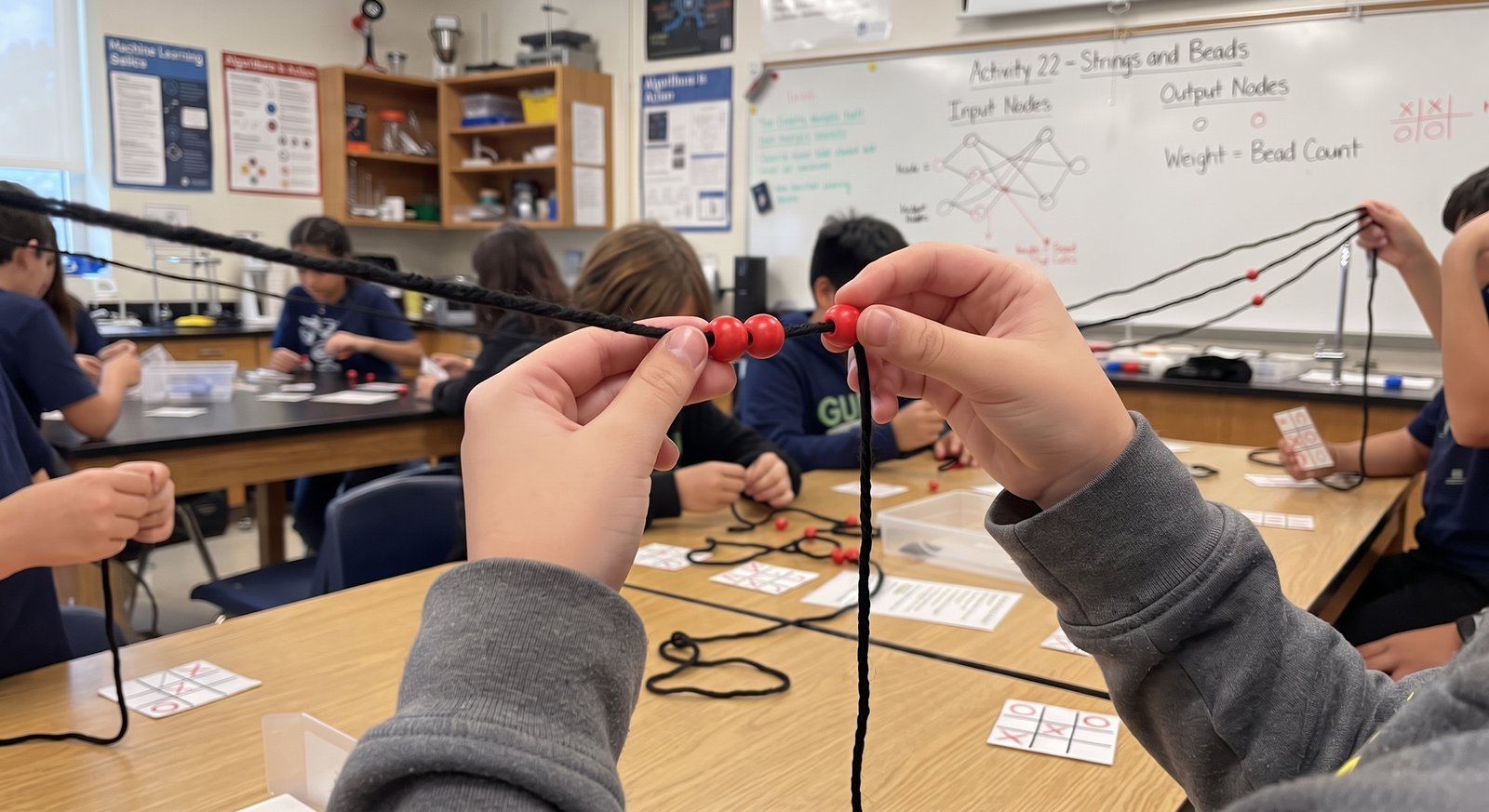
How does AI actually learn? In 75 minutes, kids find out by becoming one. Strings are the neurons. Beads are the memory. They train it, test it, and try to trick it.
By the end, learners can:
- Explain, in their own words, how a machine learns from examples
- Train a simple model by adjusting its memory based on its mistakes
- Predict how the model will respond to a board it hasn't seen
- Explain why a trained model can be confidently wrong, and when not to trust it
The First Cog Method, in 75 minutes.
Question → Strategy → Build → Test → Choose the tool. The same five steps every First Cog lesson runs on.
10 min
How does a machine learn?
Before anyone touches a string, kids share their guesses. Most say "someone programs it." We hold that thought.
10 min
What would a machine need to remember?
Groups decide how to describe a tic-tac-toe board and what should count as a good move or a bad one.
20 min
Become the network.
Strings are the connections. Beads are the memory. Every wrong answer moves a bead.
20 min
Play it. Train it. Trick it.
The machine gets better with every game. Then kids try boards it has never seen, and watch it fail with total confidence.
15 min
What did it actually learn?
Where would you trust a real AI? Where wouldn't you? When should a person check the machine's answer?
The discussion is where the learning sticks.
- What did the machine actually learn, and what did it just memorize?
- Why does it sound so sure when it's wrong?
- What would happen if we trained it on bad examples?
- Where in your life is a machine learning from you right now?
- When should a person check the machine's answer?
Mapped to the standards your school already uses.
This lesson aligns with the AI4K12 Five Big Ideas in AI, the CSTA K–12 Computer Science Standards and the ISTE Standards for Students. A full alignment chart for the First Cog Curriculum is available on request.
| Framework | Standard | What it says | Where it shows up |
|---|---|---|---|
| AI4K12 | Big Idea 3: Learning | Computers can learn from data. | Kids train a physical model by correcting its mistakes. |
| AI4K12 | Big Idea 2: Representation & Reasoning | Computers represent the world and reason with those representations. | Beads represent what the model "remembers" about each board. |
| AI4K12 | Big Idea 5: Societal Impact | AI can impact society in both positive and negative ways. | "When would you not trust it?" discussion. |
| CSTA | 1B-DA-07 · Grades 3–5 | Use data to highlight or propose cause-and-effect relationships, predict outcomes, or communicate an idea. | Kids predict the model's next move from its training. |
| CSTA | 2-DA-09 · Grades 6–8 | Refine computational models based on the data they have generated. | The core of the lesson: retrain after every wrong answer. |
| CSTA | 2-IC-20 · Grades 6–8 | Compare tradeoffs associated with computing technologies that affect people's everyday activities and career options. | When AI helps, and when it misleads. |
| CSTA | 3A-DA-12 · Grades 9–10 | Create computational models that represent the relationships among different elements of data collected from a phenomenon or process. | Older groups design their own network and weightings. |
| CSTA | 3B-AP-08 · Grades 11–12 | Describe how artificial intelligence drives many software and physical systems. | High school extension: connect the beads to real systems. |
| ISTE | 1.5 Computational Thinker (incl. 1.5d) | Understand how automation works and use algorithmic thinking to develop a sequence of steps to create and test automated solutions. | Kids are the algorithm, then explain it. |
This lesson is the top layer. There's a lot underneath.
Build a Machine That Learns gives your group a look at where the First Cog Curriculum leads. The curriculum itself starts at binary numbers and climbs from there. Many groups start with this lesson. You can also start the curriculum directly.
- 06Design
- 05Networks & security
- 04Instructions
- 03Algorithms
- 02Errors
- 01DataStarts here: binary numbers
75 minutes. No devices. $795.
- Up to 16 learners, ages 10+ (45-minute version for ages 7–9)
- A second group the same day +$395
- I bring every material; you provide a room and tables
- At your location, within 30 minutes of Garland
Founding groups: $395 for the first 10 groups. Details →
The full lesson plan comes with teacher training.
Teacher training includes the complete teacher script, materials list and setup guide for this lesson and others, so your staff can run it with their own students.
Every kid will use AI. Few will understand it.
The best time to start was before AI. The second best time is now.